Custom domains
| Plan | Domains |
|---|---|
| Trial | None |
| Start | 3 |
| Build | 5 |
| Grow | 10 |
Counted across all environments of the workspace. Each name counts as one domain: shop.vn and www.shop.vn are two domains.
-
Open Cài đặt → Domain (settings, domain), enter the domain (for example
www.shop.vnorshop.vn) → “Thêm domain” (add domain). -
Add the records Embra shows at your DNS provider:
Type Name Value TXT _embra-challenge.www.shop.vnembra-verify=…(Embra shows the value)CNAME wwwthe app address, like <app>-production-<code>.onembra.comRoot domain (
shop.vn, nowww): use an A record to the IP Embra shows instead of the CNAME.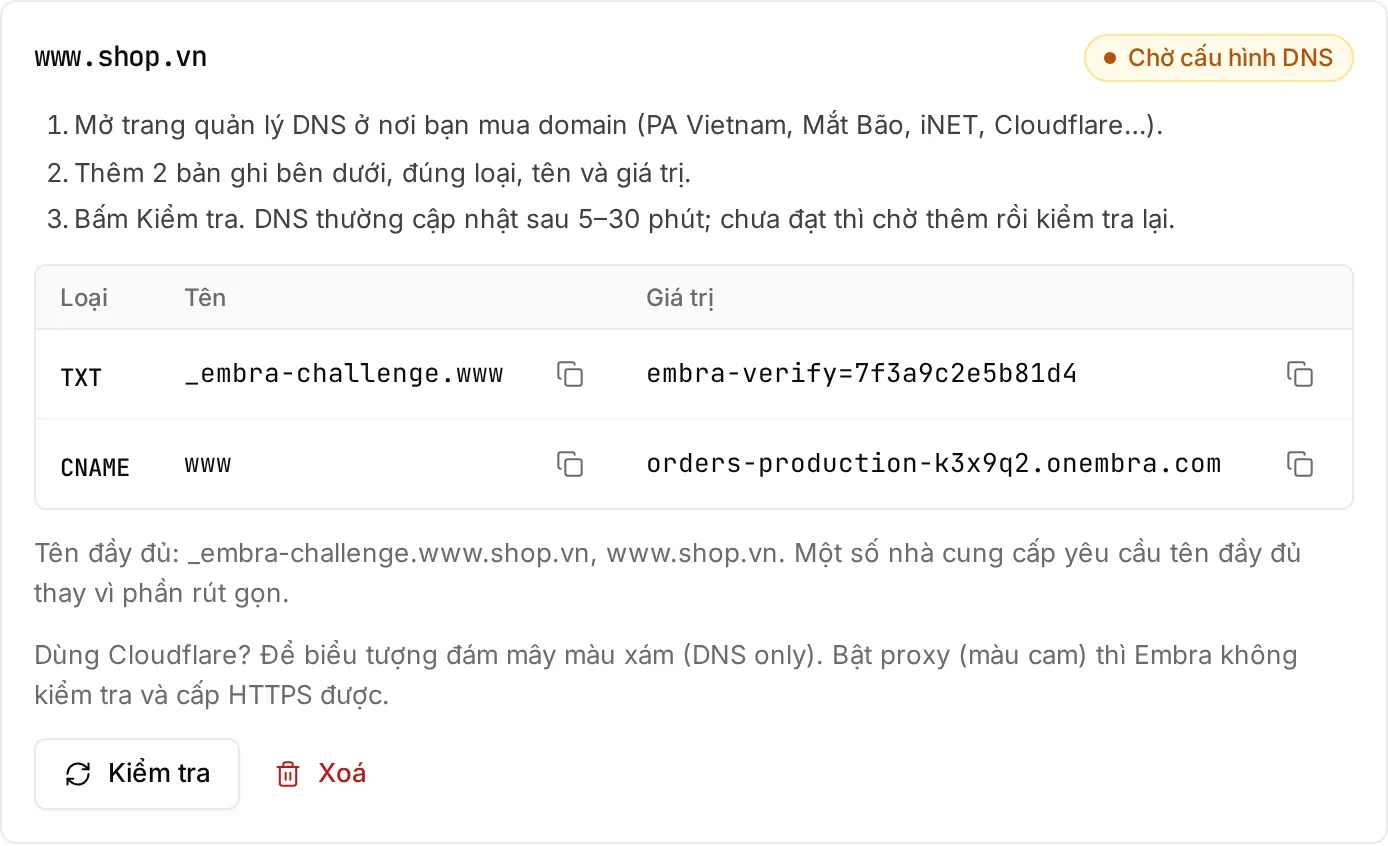
-
Wait for DNS to update (usually 5–30 minutes) → click “Kiểm tra” (check). If it doesn’t pass yet, wait and check again.
-
Once verified, HTTPS is issued automatically on the first request, usually within a minute.
Keep the TXT record
Section titled “Keep the TXT record”Don’t delete the TXT record after verification. Embra re-checks it every 24 hours. If it is missing 3 times in a row, Embra stops serving that domain. Temporary network errors don’t count.
- For both
shop.vnandwww.shop.vn, add both. Embra doesn’t redirect between the two names yet; set a redirect at your domain provider. - Wildcard domains (
*.shop.vn) and uploading your own certificate are not supported yet. - A domain can only be attached to one app on Embra.
- A domain that is never verified is dropped after 7 days.
- Each domain can be checked at most once every 30 seconds.