Deploy from GitHub
Creating the app
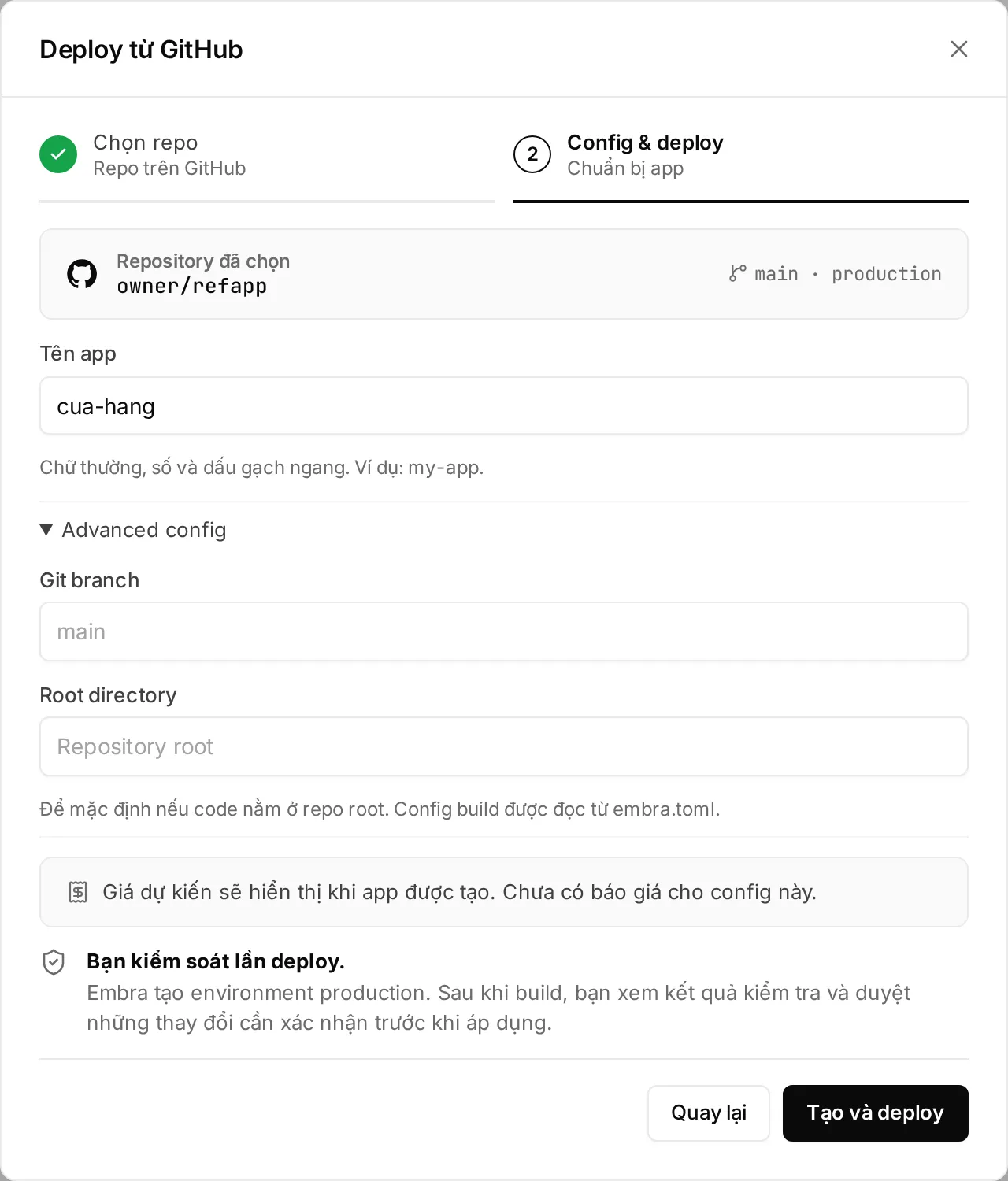
Section titled “Creating the app”- Click “+ Tạo mới” (create) → “Deploy từ GitHub”.
- Click “Kết nối GitHub ↗” (connect GitHub) and install the Embra GitHub App on the account or organization that owns the repo. You choose which repos Embra can see.
- Pick the repo → “Tiếp tục” (continue).
- Set Tên app (app name): lowercase letters, digits and
-, starting with a letter. For a monorepo or a non-default branch, open “Advanced config” and set Git branch and Root directory. - Click “Tạo và deploy” (create and deploy). Embra creates the
productionenvironment, links repo + branch and builds.
Repo missing? Click “Không thấy repo? Cập nhật quyền GitHub ↗” (update GitHub permissions), then “Tải lại” (reload). Only people signed in with GitHub can link a repo, and only repos their GitHub account can read.
Approving production
Section titled “Approving production”After the build, Embra makes a plan: a summary of the change (new image, secrets added/removed/changed, pending migrations).
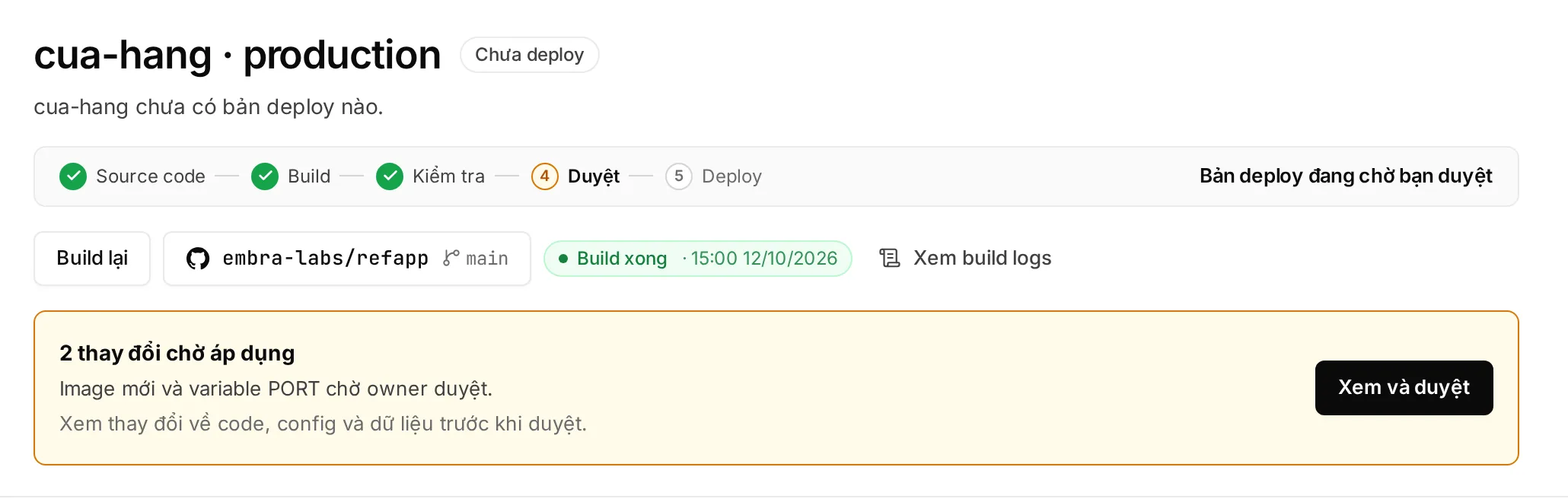
- The plan bar shows “… thay đổi chờ áp dụng” (changes waiting) → click “Xem và duyệt” (review and approve).
- Check the code, config and data changes.
- Type the environment name → “Duyệt và deploy” (approve and deploy). If a migration may lose data, also type
CONFIRM_MIGRATION.
| Rule | Detail |
|---|---|
| Who can approve | Owner and Admin only. Production always waits for approval, even with no migration. Developers and AI agents cannot approve |
| Real person | A web session signed in within the last 12 hours. See Actions that need a real person |
| Expiry | A pending plan expires after 24 hours |
| New build | Cancels the older plan, so you never approve a stale version by mistake |
Once approved, the app is at:
https://<app-name>-production-<workspace code>.onembra.comBuilding on push
Section titled “Building on push”- Push to the linked branch → Embra builds that commit. Other branches and new tags don’t build.
- A new build cancels a running build of the same environment.
- To rebuild the latest commit without pushing, click “Deploy” on the overview page (it reads “Build lại”, rebuild, while a plan is waiting).
- Production waits for approval after each build. Staging and previews deploy on their own, unless a migration changes data.
Pull request previews
Section titled “Pull request previews”On plans with previews (see pricing), each PR into the production branch gets its own pr<number> environment.
| Item | Preview |
|---|---|
| URL | pr<number>-<production address> |
| Database | New and empty, no production data copied. Load sample data with [preview] seed |
| Secrets, bucket, domains | Not carried over from production |
| Auto delete | When the PR closes, or after 72 hours without a new push |
| PRs from forks | Ignored |
- Build log: “Xem build logs” (view build logs) on the overview page. Look up error codes in Error codes and fixes.
- App log: the “Logs” section. Containers run on UTC; for Vietnam time set the secret
TZ=Asia/Ho_Chi_Minh. - Log and metrics retention depends on the plan (trial: 1 day).
Rollback
Section titled “Rollback”Click Quay về bản trước (roll back) on the Lịch sử & khôi phục (history & restore) rail of the environment page. The web always goes back exactly one version.
- No approval needed, because a rollback only reruns code that was already approved.
- Embra refuses if a migration has moved on since that version.
Details: Rollback and restoring backups. Urgent help: hello@embra.cloud.